When a Client Says 'Try a Different Look' — How Small Teams Turn That Into Something Reviewable
Summary: Luka Fabry discusses the challenge small creative teams face when clients provide vague feedback like "try a different look," without clear direction. Traditional workflows, which involve multiple iterations, can be time-consuming and inefficient, particularly in fast-paced settings. Tools like AI Hair Color Changer are suggested as solutions to quickly generate visual variations while holding constant elements steady, enabling faster decision-making. Emphasis is placed on the importance of a structured review process to effectively narrow options and save time, though it's noted that these tools are aids, not replacements for final decisions.
When a Client Says 'Try a Different Look' — How Small Teams Turn That Into Something ReviewableThe Brief That Isn't Really a Brief
Anyone who has run a small content, branding, or marketing team knows the moment: a client, a founder, or a creative director says something like "can we see her with a different color" or "what if the character had a bolder style" — and that's the entire brief. No swatches, no reference deck, just a vague preference and a deadline. The person asking usually can't articulate what they want until they see it, which puts the burden on the team to generate options fast enough that the conversation can actually move forward. For color and styling decisions specifically, tools such as AI Hair Color Changer are described as covering exactly that step, turning one reference photo into a few comparable color directions before anyone commits.
This is a common bottleneck in visual work generally, not just hair or beauty content. Product teams face it when picking UI color themes. Marketers face it when testing campaign variants. Character designers face it when a client wants three versions of a mascot before picking one. The underlying problem is the same: someone needs to go from a single vague direction to a small set of concrete, comparable options, without burning a full day of production time per option.
Why the Old Workflow Breaks Down
The traditional path — brief a stylist or illustrator, wait for drafts, review, revise — works fine when there's budget and time for iteration. It breaks down in exactly the situations that matter most: early-stage pitches, quick social content, internal concept testing, or client calls where a decision is expected in the same meeting. Teams either commit to one direction too early (and risk redoing it later) or they stall the project waiting for enough visual options to compare.
There's also a subtler issue: even when a team does produce a few manual variations, they're often inconsistent in framing, lighting, or pose, which makes side-by-side comparison harder than it should be. A reviewer ends up comparing apples to oranges instead of judging the actual variable in question — in this case, color or styling — on its own merits.
What's needed is a way to hold everything else constant (the photo, the composition, the subject) and vary just the one thing under discussion, quickly enough that the review happens in minutes, not days.
A Concrete Walkthrough
Consider a small team producing social content for a personal brand or a beauty-adjacent product. The creative lead has a photo of the subject and a rough idea: "let's see a few natural shades and one bold option before we decide what to shoot for real." Instead of scheduling a styling session for every option, the team uploads the photo to a tool built for this narrower job. According to the product page, AI Hair Color Changer is designed to let someone upload a photo and generate multiple color variations from it, so the comparison happens against the same base image rather than across different sittings, different lighting, or different poses.
The team generates a handful of directions — a couple of natural tones, one bolder option, maybe something tied to a themed concept if the content calls for it. Because every variation comes from the same source photo, the reviewer isn't distracted by inconsistencies unrelated to the actual decision. The description on the product page also mentions supporting things like themed looks, profile image ideas, and costume planning, which suggests the same underlying approach — hold the subject constant, vary the treatment — extends beyond a single use case into content concepts and personal experimentation more broadly.
The Review Step Matters More Than the Generation Step
Generating options quickly is only half the job. The harder part is reviewing them honestly. A useful review pass asks a few plain questions: Does this option still look like the subject, or does it feel like a different person entirely? Would this hold up under the actual lighting and context the final content will use? Is the team choosing based on genuine preference, or defaulting to whichever option came first?
It's worth being direct about limits here. A generated preview is a planning aid, not a guarantee of how a real dye job, wardrobe change, or production shoot will turn out in practice. Skin tone rendering, hair texture, and lighting conditions in the source photo all affect how convincing a given option looks, and no preview tool replaces a final in-person or professionally shot check before committing budget. Treating these previews as a way to narrow five vague ideas down to two solid candidates — rather than as a finished decision — is where the actual time savings comes from.
Where This Fits Into a Real Workflow
For teams that regularly face this kind of open-ended visual brief, the practical move is to build a short review step into the process itself: generate three to five options, screen them against the plain questions above, then take only the shortlist to the client or stakeholder. That turns a stalled meeting into a short, structured decision.
If your team is dealing with this kind of brief regularly, the practical next step is to pick one lightweight tool, run it through the review questions above on a real project, and see whether it actually reduces the number of back-and-forth rounds. The specific tool matters less than having a repeatable step that turns a vague visual direction into a small set of comparable options.
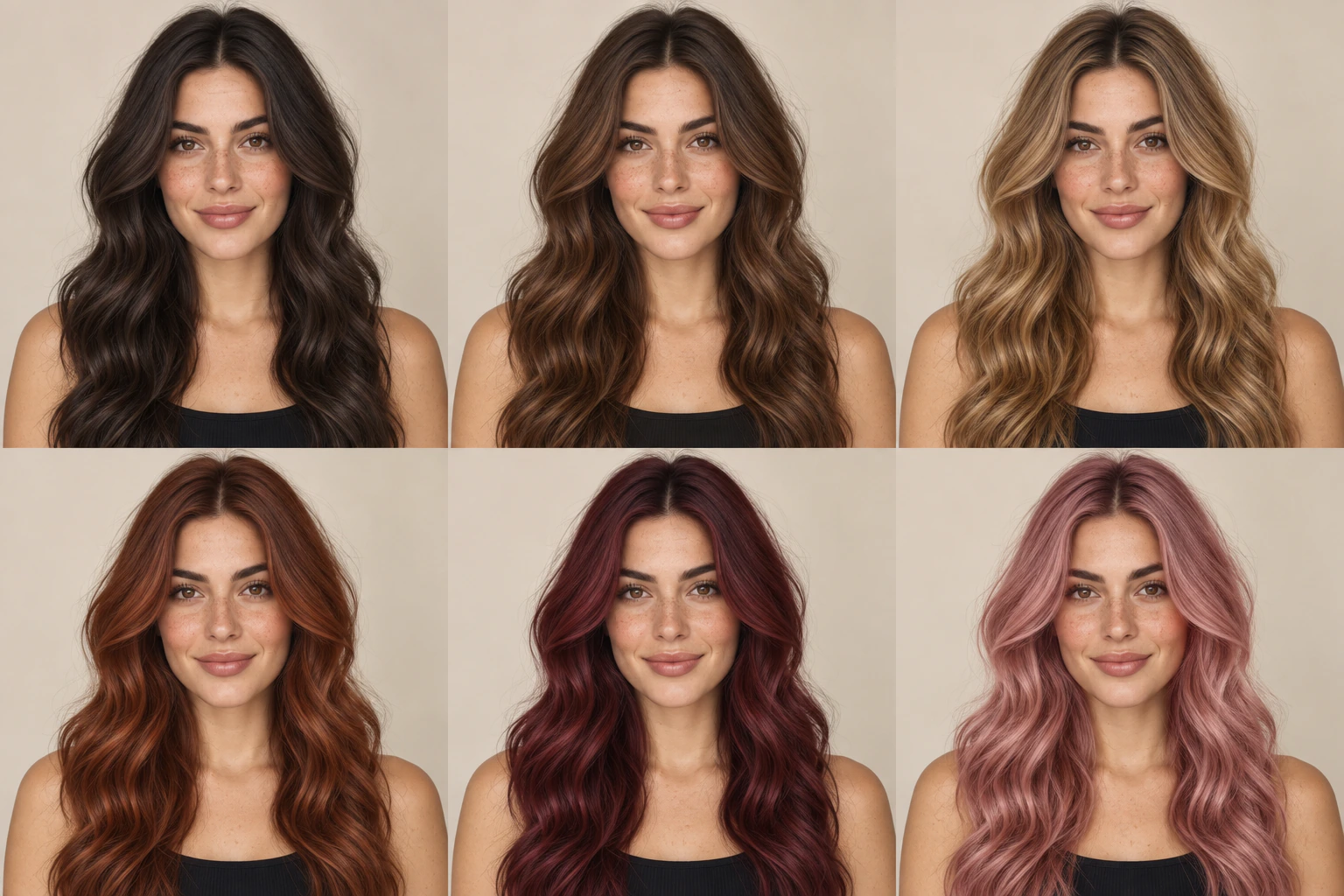
AI Hair Color Changer official website homepage showing the product interface and primary workflow

.png?_a=BAVMn6E80)